

Answer · Drawing requirements
What font size do patent drawings need?
Numerals, letters and words in patent drawings must be at least 0.32 cm (3.2 mm, 1/8 inch) tall. No font is required, but characters should be plain, upright and read in the same direction as the view. Because point size measures the whole font box, a 3.2 mm digit in Arial or Helvetica needs about 13 points or more. The minimum applies to the final sheet, so check text after any shrinking.

Draw this figure on a filing sheet
Upload a photo, sketch or CAD screenshot, or describe a method. You get black-and-white drawings with editable numerals on USPTO, EPO or PCT sheets. $19 for 40 drawings, one-time.
Open the drawing toolThe rule text
Numbers, letters, and reference characters must measure at least .32 cm. (1/8 inch) in height. — 37 CFR 1.84(p)(3)
The PCT uses the same figure: "The height of the numbers and letters shall not be less than 0.32 cm" (PCT Rule 11.13(h)), so one text size works at the USPTO, the EPO and under the PCT. The minimum covers reference numerals, letters such as A and B in FIG. 3A, and any words in legends or flowchart boxes.
Reference characters (numerals are preferred), sheet numbers, and view numbers must be plain and legible, and must not be used in association with brackets or inverted commas, or enclosed within outlines, e.g., encircled. — 37 CFR 1.84(p)(1)
Two more rules set a size order. View numbers must be larger than reference numerals under 37 CFR 1.84(u)(2), and sheet numbers must be larger than reference numerals under 37 CFR 1.84(t). So the smallest text on the sheet is the reference numerals, and they set the floor at 3.2 mm. See the figure label guide and the sheet numbering guide for those two.
Converting 3.2 mm into points and pixels
One point is 0.3528 mm, and the point size of a font is the height of its whole box, including room above capitals and below the baseline. In Arial and Helvetica, capitals and digits are about 0.72 of the point size. That gives these digit heights: 9 pt is about 2.3 mm, 12 pt is about 3.0 mm, 13 pt is about 3.3 mm, 14 pt is about 3.6 mm. 12 point text looks right on screen and still fails the 3.2 mm minimum.
Lowercase letters are smaller again. In Arial the x-height is about 0.52 of the point size, so a lowercase "a" at 14 pt is only about 2.6 mm tall. The rule says letters without exempting lowercase, so either set words in capitals or use a size where the lowercase letters reach 3.2 mm, which is about 18 pt in Arial.
In pixels: our exports are 300 DPI, where 3.2 mm is about 38 pixels and 1/8 inch is 37.5 pixels. If you measure a scanned sheet, a digit shorter than 38 pixels at 300 DPI is under the minimum. A size order that works for most sheets is reference numerals at 3.5 mm (about 14 pt Arial), sheet numbers at 4.5 mm (about 18 pt) and FIG. labels at 6 mm (about 24 pt).
Worked example: numerals on the exploded chair
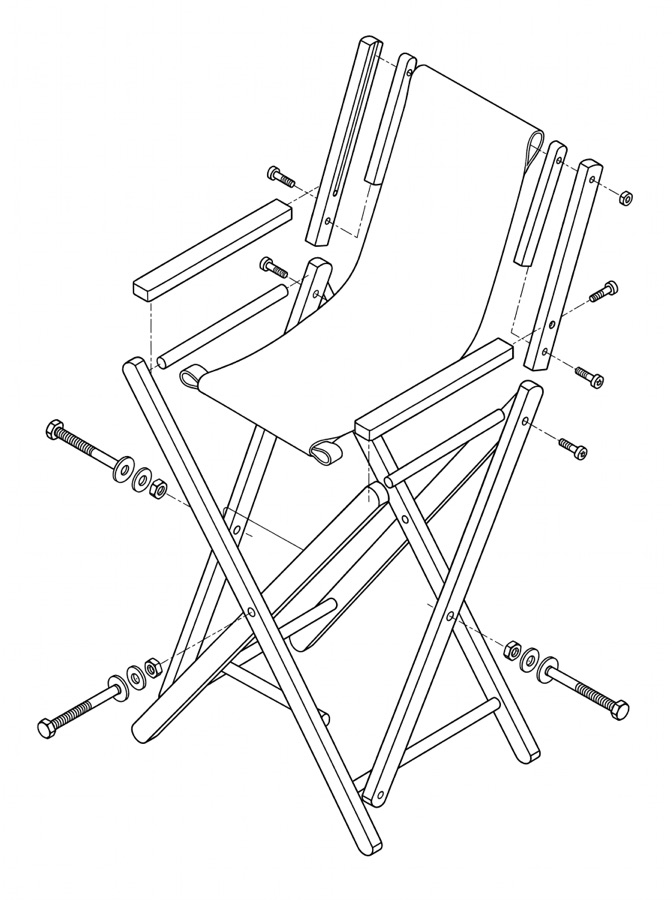
Our sample (above) shows a folding camping chair taken apart: leg frames, seat sling, backrest, armrests, and bolts with washers and nuts on dashed alignment lines. The numerals below are a labelled example, not the ones on the sample sheet. Say you number the leg frames 10 and 12, the seat 14, the backrest 16, the armrests 18, the long bolts 20, the washers 22 and the nuts 24.
You draw the figure at full sight height, 244 mm on US Letter, with numerals at 3.5 mm. Later you decide to fit a second view on the same sheet and scale the chair to 60 percent. If the numerals scale with it, they drop to 2.1 mm and every one of them fails. Set numeral height on the final layout instead. In our editor the numerals sit on their own editable layer, so you can resize the figure and then check the text.
The small hardware is where crowding starts. The washer and nut on each bolt are only a few millimetres apart, so put numerals 22 and 24 outside the part with lead lines that do not cross each other, as the lead line guide explains. Never use a smaller size to squeeze a numeral into a gap. The same part keeps the same numeral in every view, which the reference numbers guide covers.
Flowcharts and words in boxes
Flowchart boxes are where text most often falls under the minimum, because long step descriptions get shrunk to fit. Keep each box to a short phrase, put the full description in the specification, and give each box a reference numeral such as S102. If you build the chart in our flowchart generator, the step numerals go through the same 3.2 mm check on export, but read the box text on the final sheet yourself.
The details
Flowchart text
Words inside flowchart boxes count too. Long step text shrunk to fit a box is the usual way flowcharts fail this rule; shorten the words or make the box larger.
Placement
Keep text off hatching, shading and crossing lines. If a numeral must sit inside a hatched area, leave a clear patch around it.
Language
Use English at the USPTO. At the EPO and PCT, words in drawings are kept to a minimum and may need translation.
No circles or brackets
Write numerals plain. Do not circle them, box them or put them in brackets or quotation marks.
Common mistakes
- Setting numerals in 12 point and assuming that equals 1/8 inch
- Scaling a finished figure down without rechecking numeral height
- Circling numerals or putting them in brackets
- Writing numerals on top of hatching or crossing lines
Questions people also ask
Is 1/8 inch the same as 12 point?
No. Point size measures the font box, not the letter height. In Arial a 12 point digit is about 3.0 mm, just under the 3.2 mm minimum. Measure a capital letter or digit on the final sheet.
Can labels be rotated?
Text should read in the same direction as the view. On a sideways sheet, text reads with the sheet turned.
Does the format check measure text?
Yes for reference numerals. Each exported sheet is checked for numerals under 3.2 mm, and duplicate numerals are flagged. Check longer words in legends yourself.
Does the 2/3 reduction mean I need 4.8 mm text?
No. The 3.2 mm minimum applies to the sheet as filed. The two thirds rule is about keeping detail clear, so 3.5 mm numerals give a little margin.
Official sources
Related questions
More in Drawing requirements
Draw this figure on a filing sheet
Upload a photo, sketch or CAD screenshot, or describe a method. You get black-and-white drawings with editable numerals on USPTO, EPO or PCT sheets. $19 for 40 drawings, one-time.
Open the drawing toolPatent drawing generatorThis page explains public rules and our tool. It is not legal advice; ask a registered patent attorney or agent about your application.