

Patent diagrams explained
Patent diagram: what it is and how to make one
A patent diagram is a black-and-white figure in a patent application that shows what the invention looks like or how it works. The six common kinds are perspective line drawings, orthographic views, cross-sections, exploded views, flowcharts and block diagrams. Upload a photo or sketch below to draw one; your first preview is free.
Drafting services: $33–43 per sheet and days of waiting. Here: under $1 a drawing, ready in minutes. See one free, then try 8 drawings for $5.
Next: check your plan and draw one free watermarked preview. Pay only if you want the full set.
One-time packs from $5, no subscription. Not exported yet? Full refund within 7 days. Have your attorney or agent review the drawings; we are not a law firm and do not give legal advice.

Every sheet is checked before you export
Numerals stay an editable layer until you export. The check measures the sheet itself, so the result is the same every time.
- ✓ Margins clear: top 2.5, left 2.5, right 1.5, bottom 1.0 cm
- ✓ Black and white only, 300 DPI
- ✓ Numerals at least 3.2 mm tall
- ! Numeral 14 used twice: fine only if it marks the same part
- ✓ FIG. 1 label and sheet number 1/3
Real drawings from the generator
Each one came from a one-sentence description, first try, not retouched. Numerals and the sheet layout are added in the editor.
More patent drawing examples by type →
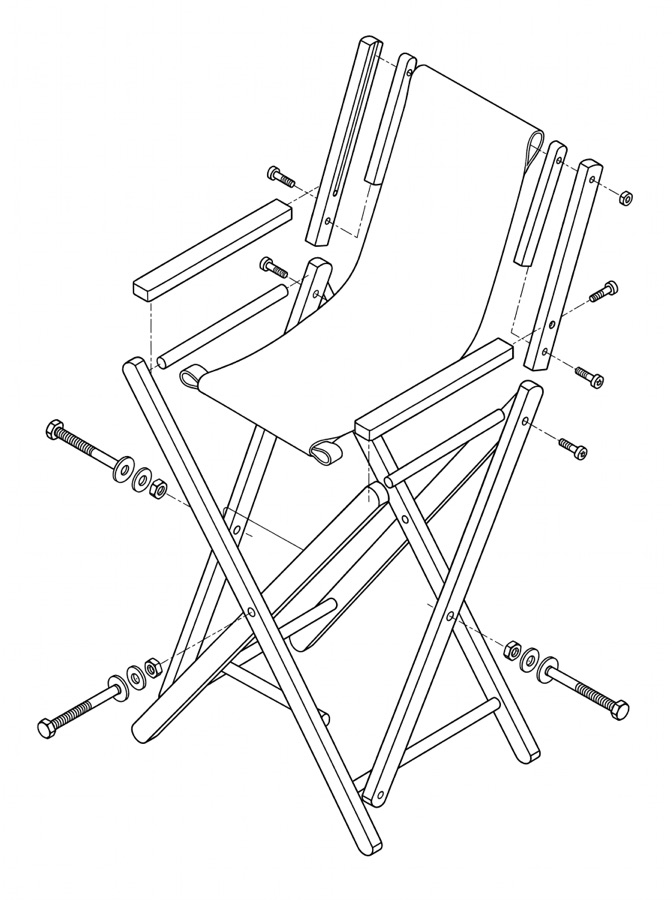
Exploded view
Folding camping chair: frames, seat, bolts and washers pulled apart along dashed lines.

Perspective view
Desk lamp with spring arm, the usual FIG. 1 for a utility or design filing.
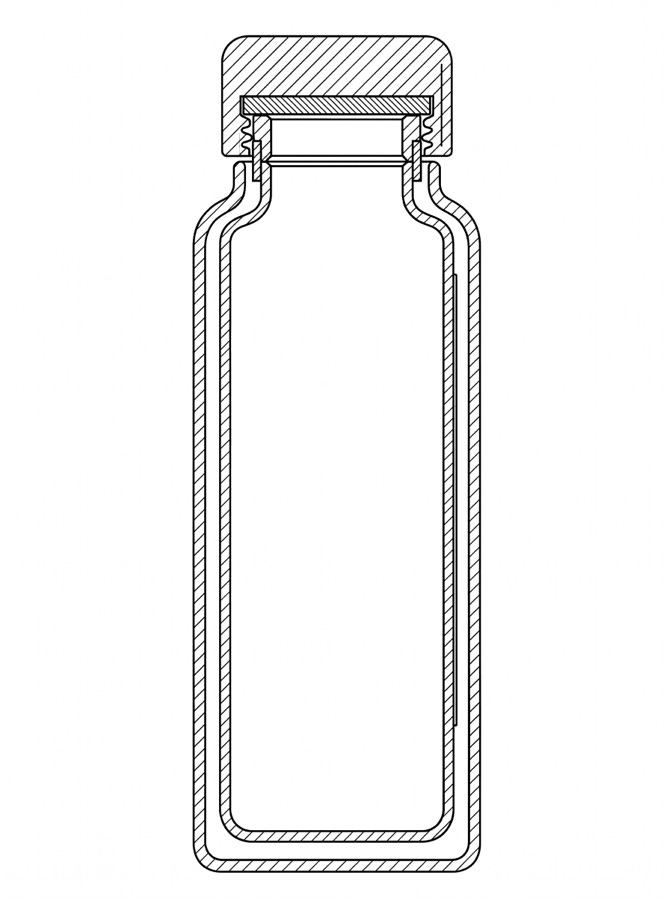
Cross-section
Insulated bottle cut in half: 45° hatching on the walls, the vacuum gap left white.
The six kinds of patent diagram
Perspective line art shows the whole object; orthographic views (front, top, side) show each face flat; a cross-section cuts it open with 45-degree hatching; an exploded view pulls the parts apart; a flowchart shows the steps of a method; a block diagram shows the parts of a system and how they connect.
Rules every diagram follows
Under 37 CFR 1.84 a diagram is black ink on white, with even lines, reference numerals at least 3.2 mm tall, the label FIG. 1, FIG. 2 and so on, and clear margins on the sheet. Color, grey tones and photographs are exceptions that need a reason.
Which diagrams your claims need
Every feature in the claims has to appear in at least one figure. A product claim usually needs a perspective view plus a section or exploded view of the inner parts; a method claim needs a flowchart; a software or electronics claim usually adds a block diagram.
Read before you draw
Answers on block diagrams, flowchart rules, cross-sections, exploded views, USPTO drawing rules and reference numbers. Each one cites the rule it is based on.
One-time packs
Questions
Is a patent diagram the same as a patent drawing?
Yes. The rules call them drawings; inventors and search engines often say diagram, especially for flowcharts and block diagrams. Both follow 37 CFR 1.84 in a US filing.
Can I make a patent diagram myself?
Yes, many inventors do, especially for provisional applications. The work is in the format: line quality, numerals, labels and margins. A tool that lays out the sheet and checks it saves most of that time.
How do I draw a flowchart or block diagram for a patent?
Write the steps or the parts in plain words. Here a text model turns them into boxes, and code draws them with straight arrows, step numbers such as S100 and reference numerals, so you only fix the wording.
Is the free preview really free?
Yes. Draw one watermarked preview from your upload or description, no sign-up and no card, and download it as a PDF sheet to check. Buy a pack only if you want the full set and clean exports; the preview then unlocks too.
Other drawing tools
- Design patent viewsDesign patents
- Flowcharts & block diagramsMethod and software patents
- Photo to patent drawingPrototype photos
- Sketch to patent drawingHand sketches
- Patent illustrationPatent illustrations without the wait
- Patent drawing generatorAll drawing types
PatentDrawingsAI is not a law firm and does not give legal advice. Drawings are drafts for you and your attorney or agent to review before filing.