Hand sketches
Turn a hand sketch into a clean patent drawing
A hand sketch shows the idea but not the line quality patent offices expect. Upload a photo or scan of your sketch and get even, black-and-white line art with the same shape, then add reference numerals and export sheets with the right margins and labels.
Add a photo, or describe the invention in at least a sentence.
One-time packs from $19, no subscription. Not exported yet? Full refund within 7 days. Have your attorney or agent review the drawings; we are not a law firm and do not give legal advice.
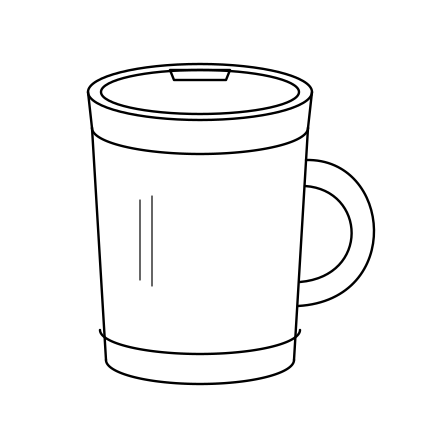
Every kind of figure a filing needs
Line art, design patent views, sections and exploded views come from the image model; flowcharts and block diagrams are drawn by code.
Line art and design views
Clean, even black lines on white, from a photo, sketch or CAD screenshot. Design sets add six orthographic views.
Method flowcharts
Steps numbered S100, S110 …, decisions with Yes and No paths, straight arrows.
System block diagrams
Components with their own numerals, connected along the signal path.
What the drawing keeps from your sketch
Proportions, parts and their positions are kept; wobbly lines, pencil shading and notes are removed. Write part names next to your sketch if you like, then add them back as numerals in the editor.
Scanning tips
Photograph the page from straight above in daylight, or scan it. Darken faint pencil lines first; the cleaner the outline, the closer the drawing stays to your sketch.
Can I file my own sketch?
Rule 37 CFR 1.84 asks for durable black lines that are clean and uniform. Many inventors file hand-made drawings in provisional applications; for a non-provisional application, clean drawings avoid objections.
What a set of drawings costs
Public prices checked 2026-11-17.
| Option | How | Price | Output |
|---|---|---|---|
| PatentDrawingsAI | AI generation, you edit numerals | From $19 one-time (40 drawings), no subscription | USPTO / EPO / PCT sheets as PDF or TIFF, format check report |
| PatentFig | AI generation, you edit numerals | Basic $20/month (~50 figures), Pro $40/month | Filing sheets for 6 offices with paid plans |
| patentdrawing.app | AI generation, you edit labels | Packs from $49, plans from $19/month billed yearly | PNG, SVG and PowerPoint; no PDF or TIFF filing sheets |
| Drafting firm (PatSketch) | A draftsperson draws each sheet | $33 per utility sheet, $43 per design sheet | Finished sheets after a few days, revisions on request |
One-time packs
Inventor
40 drawings
One invention with redraws
Inventor Plus
Most popular120 drawings
Utility and design
Firm
300 drawings
Several cases
Questions
Do I have to pay before I can generate?
Yes. Generation uses paid image models, so you buy a one-time pack first: $19 for 40 drawings, $39 for 120 or $79 for 300. If you have not exported a sheet, you can ask for a full refund within 7 days of buying.
Are these drawings ready to file?
They are laid out to the office format: margins, black-and-white lines, FIG. labels, sheet numbers and numeral size, and every export comes with a format check. Whether a drawing shows every feature your claims need is a legal question. We are not a law firm and do not give legal advice, so have your attorney or agent review the set.
Can I edit the reference numerals?
Yes. Numerals are a separate layer, never baked into the image. Drag a numeral, move the tip of its leader line, type a new number or add one by dragging from a part. Numbers used twice are flagged before you export.
What happens to my invention files?
Your uploads and drawings are private to your account and are not used to train models. Delete a project at any time; its files are permanently removed within 30 days.
Other drawing tools
- Design patent viewsDesign patents
- Flowcharts & block diagramsMethod and software patents
- Photo to patent drawingPrototype photos
- Patent drawing generatorAll drawing types
PatentDrawingsAI is not a law firm and does not give legal advice. Drawings are drafts for you and your attorney or agent to review before filing.